

Download 3D PageFlip Professional – 3D Flipbook Creator, PDF to e‑book Converter
Overview
3D PageFlip Professional is a powerful desktop application that turns ordinary PDF, Microsoft Office, and OpenOffice documents into interactive, three‑dimensional flipbooks. The software recreates the tactile experience of turning pages in a paper book while adding modern web‑ready features such as embedded videos, image slideshows, and social‑media sharing buttons. Whether you need an online catalogue, an e‑magazine, or a corporate training manual, 3D PageFlip Professional gives you a fast, secure way to publish your content across Windows, macOS, Android, and iOS platforms.
The tool also supports batch conversion, allowing businesses to process large libraries of documents with just a few clicks. With a collection of pre‑designed templates, custom branding options, and an intuitive drag‑and‑drop editor, you can create polished digital publications that look professional on desktops and mobile devices alike. The resulting flipbooks are responsive, SEO‑friendly, and can be embedded directly into any website or shared via a unique URL.
For designers and developers, the software offers export options that integrate seamlessly with existing web applications, providing a versatile solution for any digital publishing workflow.
Key Features
- Instant conversion of PDF, DOCX, PPT, and ODT files into 3D flipbooks.
- Realistic page‑turn animation with customizable shadow, lighting, and curl effects.
- Responsive design that automatically adapts to desktops, tablets, and smartphones.
- Built‑in editor for adding logos, watermarks, background colors, and custom CSS.
- Multimedia integration – embed YouTube/Vimeo videos, audio tracks, and image galleries.
- Social sharing tools, including Facebook, Twitter, LinkedIn, and email export.
- Multiple publishing outputs: HTML5 web embed, standalone EXE, iOS/Android app packages.
- Batch processing for converting entire folders of documents in one operation.
- Extensive template library with over 30 pre‑designed flipbook styles.
- Secure encryption and password protection for sensitive corporate documents.
Each feature has been designed with both ease of use and professional polish in mind. The conversion engine preserves original formatting, hyperlinks, and bookmarks, while the flipbook viewer adds an extra layer of interactivity. The software also supports SEO optimization by generating clean, indexable HTML code and providing meta‑tag editing directly within the application. For teams that need to collaborate, 3D PageFlip Professional allows you to export the final flipbook to cloud storage services like Dropbox and Google Drive, making distribution to colleagues or clients a breeze.
Installation, Usage & Compatibility
Installing 3D PageFlip Professional is straightforward. After purchasing the license, you receive a download link for a Windows 64‑bit installer and a macOS DMG package. The installer guides you through standard steps: accept the EULA, choose an installation folder, and optionally create a desktop shortcut. Once installed, launch the application and activate it with the provided serial key. The activation process validates online, ensuring you receive the latest updates and security patches.
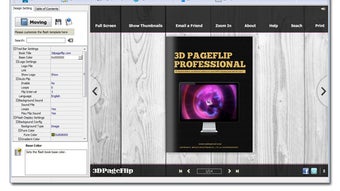
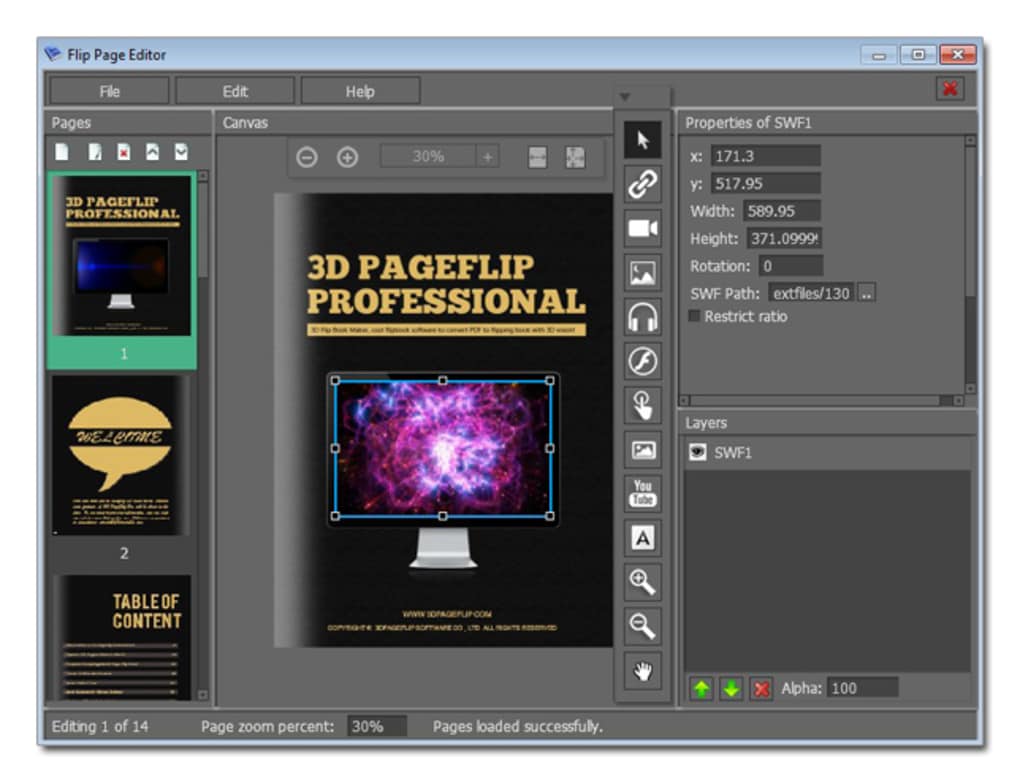
The user interface follows a familiar ribbon layout, making it easy for users accustomed to Microsoft Office. To create a flipbook, click File → Import, select your source document, and choose a template from the library. The preview pane shows a live 3D simulation of the final product, allowing you to adjust page‑turn speed, background color, and navigation controls in real time. Adding multimedia is as simple as dragging a video file onto the desired page; the software automatically generates a responsive player with playback controls.
Supported operating systems: Windows 10 / 11 (64‑bit), macOS 10.13 or later, and optional command‑line tools for Linux users. The generated flipbooks run on any modern browser (Chrome, Firefox, Edge, Safari) and are fully compatible with Android 5.0+ and iOS 11+. For developers, the application also provides an API to embed flipbooks directly into custom mobile apps or web portals.
After finalizing the design, export options appear in the Publish dialog. Choose between an HTML5 web embed (ideal for websites), a standalone executable (perfect for offline distribution), or a mobile package (iOS/Android). Each export includes a compressed folder with all necessary assets, ensuring a smooth upload to your server or app store. Regular updates are delivered through the built‑in updater, keeping the software secure and feature‑rich.
Pros, Cons & Frequently Asked Questions
Pros
- High‑quality 3D page‑turn animation that feels natural on any device.
- Supports a wide range of source file formats, including batch conversion.
- Extensive customization options for branding, templates, and multimedia.
- Responsive output ensures flipbooks look great on desktops, tablets, and phones.
- Secure publishing with password protection and encrypted files.
- Regular free updates and active technical support.
Cons
- Only a one‑time purchase; no free tier for casual users.
- Initial learning curve for advanced template editing.
- Mac version requires macOS 10.13 or newer, limiting very old hardware.
- Exporting large flipbooks can produce sizable file bundles.
Frequently Asked Questions
Can I convert a password‑protected PDF?
Yes. During import, the software prompts you for the PDF password, then proceeds with conversion while preserving the original security settings.
Is there a cloud version of 3D PageFlip Professional?
Currently the application is desktop‑only, but you can upload the exported HTML5 flipbook to any cloud storage or CDN for fast global delivery.
How many pages can a flipbook contain?
There is no hard limit; the software can handle thousands of pages, though extremely large documents may increase loading times on low‑end devices.
Do I need an internet connection to view the flipbook?
No. Once the HTML5 package is downloaded or the standalone executable is installed, the flipbook works entirely offline.
Can I add analytics tracking to my flipbooks?
Yes. The editor allows you to insert custom JavaScript snippets, making it easy to integrate Google Analytics, Matomo, or any other tracking platform.
Conclusion & Call to Action
3D PageFlip Professional delivers a robust, all‑in‑one solution for anyone who wants to transform static documents into engaging, interactive digital publications. Its combination of high‑quality 3D animation, extensive customization, and cross‑platform compatibility makes it a standout choice for marketers, educators, and developers alike. While the upfront cost may deter occasional users, the productivity gains and polished results justify the investment for businesses that regularly publish catalogs, manuals, or e‑magazines. Ready to give your PDFs a new life? Download 3D PageFlip Professional today and start creating stunning flipbooks that captivate readers on any device.







